How to choose a retro desk clock: size, display, brightness and power
Choose a retro desk clock that fits your actual workspace. Compare the footprint, viewing angle, brightness, alarm and charging details, with Maclock as a concrete example.
First decide whether you want a clock or a clock app
Searches for a “Mac clock” can describe two different things: software that shows time on a Mac screen, or a physical clock with a Macintosh-inspired design. Decide which job you want done before comparing products.
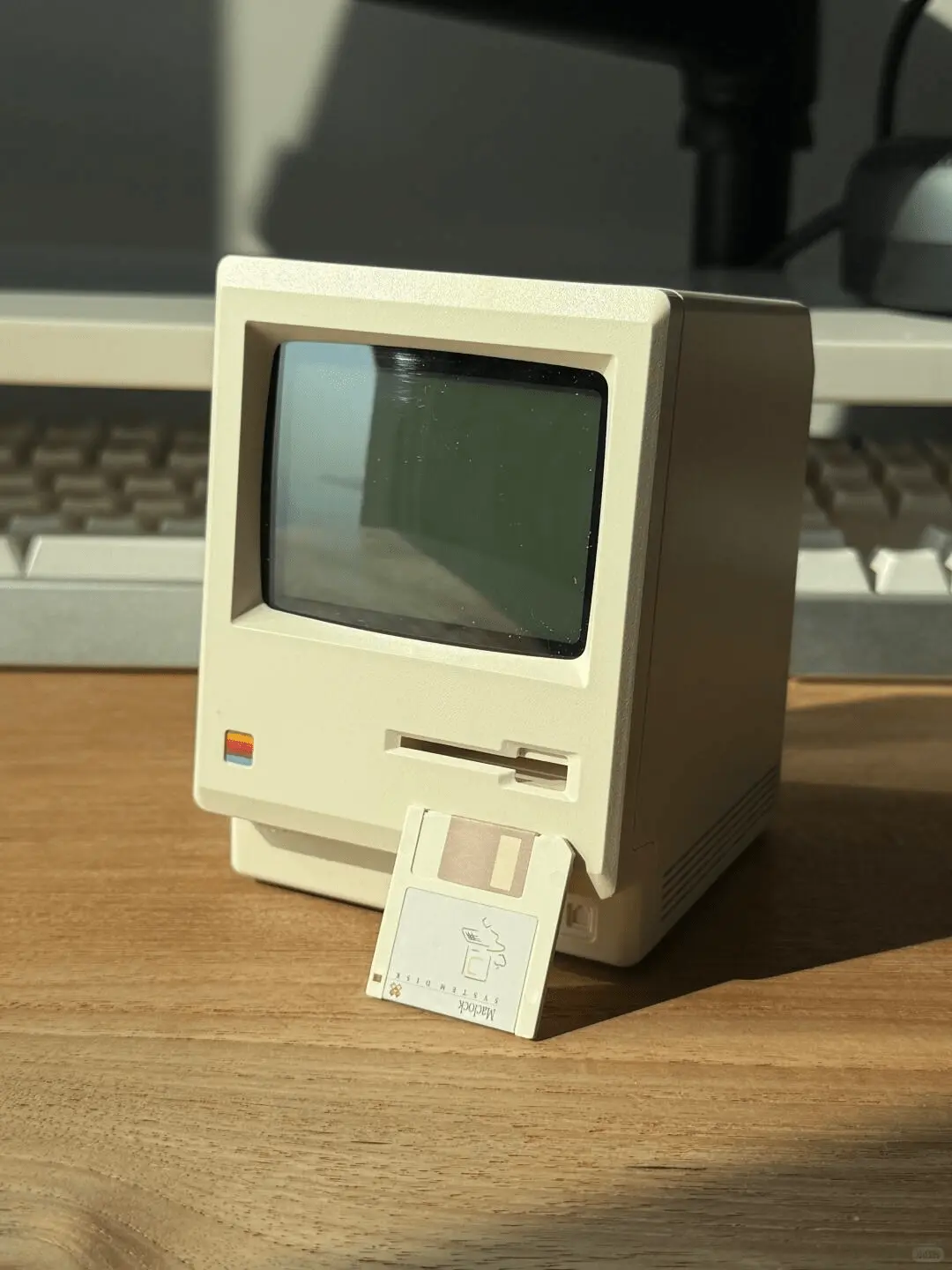
A clock app uses a screen you already own. A standalone desk clock has its own display and occupies a physical place on the desk. Maclock belongs to the second group. It is a miniature Macintosh-style alarm clock; it does not run macOS or turn into a small computer.
This distinction also matters when reading a feature list. A time display, an alarm and a countdown timer are different functions. If a dedicated countdown or Pomodoro timer is essential, choose a product whose documentation explicitly confirms it rather than assuming every digital clock includes it.
Measure the footprint and the height separately
Width and depth tell you how much desk space a clock needs. Height tells you whether it will fit below a monitor, shelf or window ledge. Write down all three measurements, especially when the product is photographed on its own.
Maclock’s published body dimensions are 80 × 91 × 112 mm: 80 mm wide, 91 mm deep and 112 mm tall. Its net weight is 229 g. An 8 × 9.1 cm paper rectangle is a simple way to try the footprint on your desk. A folded piece of card can help you judge the height.
Allow extra space for a charging cable and for reaching the controls. If you need to pick the clock up every time you adjust it, the location may be too tight even when the case technically fits.
Check the display from your normal seat
A large product photo makes almost any display look readable. Your real question is whether you can read the time at the distance and angle of your usual sitting position. Think about where the clock will sit relative to your monitor, not just how it looks straight on.
Look for photographs or video of the actual display. Notice digit shape, contrast and reflections. A desk next to a window creates a different lighting condition from a shelf in the corner of a room.
Maclock uses a dot-matrix display. The pixel character is part of its retro appearance, but personal preference still matters: some people prefer a simpler large-digit clock. Choose the display you will enjoy reading several times a day.
Match brightness and alarms to the room
A clock for a bright home office and a clock beside a bed may need different brightness settings. Check how the display is adjusted, and whether the control can be reached in the position you have planned.
Maclock has a physical brightness control and alarm functions. If you have a specific requirement for alarm volume, sound, repeat schedules or display behaviour overnight, verify it in the product instructions before buying. Those details cannot be established from the case design or a lifestyle photograph.
A useful buying question is not “How many modes does it have?” but “Does it do the one thing I need without extra daily adjustments?”
Read the condition attached to a battery claim
Battery-life figures only help when the operating conditions are clear. A backlight, always-on illumination and frequent alarms can change how often a rechargeable clock needs power.
Maclock’s published specification is a 1200 mAh rechargeable battery and approximately 60 days with the backlight off. Treat that as a conditional specification, not a promise of two months with the screen brightly lit. The product uses a USB-C connector for charging.
Plan the charging route even if you intend to use the clock unplugged most of the time. A short, accessible route is easier to live with than moving the entire setup whenever the battery needs charging.
Choose the design after the practical checks
Once the clock fits the space and the display suits you, choose the appearance you want to keep seeing. A beige Macintosh-style body can add a retro detail beside a modern computer or keyboard. A less distinctive clock may be a better fit if you want the time display to blend into the room.
Keep the order simple: size, readability, brightness, the functions you actually need, then style. Before checkout, compare the current price, delivery details and return terms for the store you are buying from. Similar-looking products and listings should not be assumed to have identical support or policies.
See Maclock’s current product information, display video and real photos, then compare them with the space you measured. Go to Maclock →