Small desk setup ideas: make room for work and a little personality
Plan a small desk around the space you actually use. A practical guide to measuring, cable routes, everyday accessories and choosing one personal detail.
Start with the work surface, not a shopping list
A small desk setup works best when the things you use every day can stay in place. If opening a notebook means moving a speaker, a plant and a charging stand, the desk is already too full, even if it looks tidy in a photograph.
Before adding accessories, put your laptop or monitor, keyboard, mouse and the notebook you actually use on the desk. Sit where you normally work. Open the laptop fully, move the mouse across its normal range and pull the notebook towards you. The area those actions use is your working space. Keep decorative objects outside it.
There is no single desk width that makes a setup right. The useful measurement is the clear area left after your equipment is in place. Measure that area rather than borrowing the accessory list from a much larger desk.
Make a simple paper plan
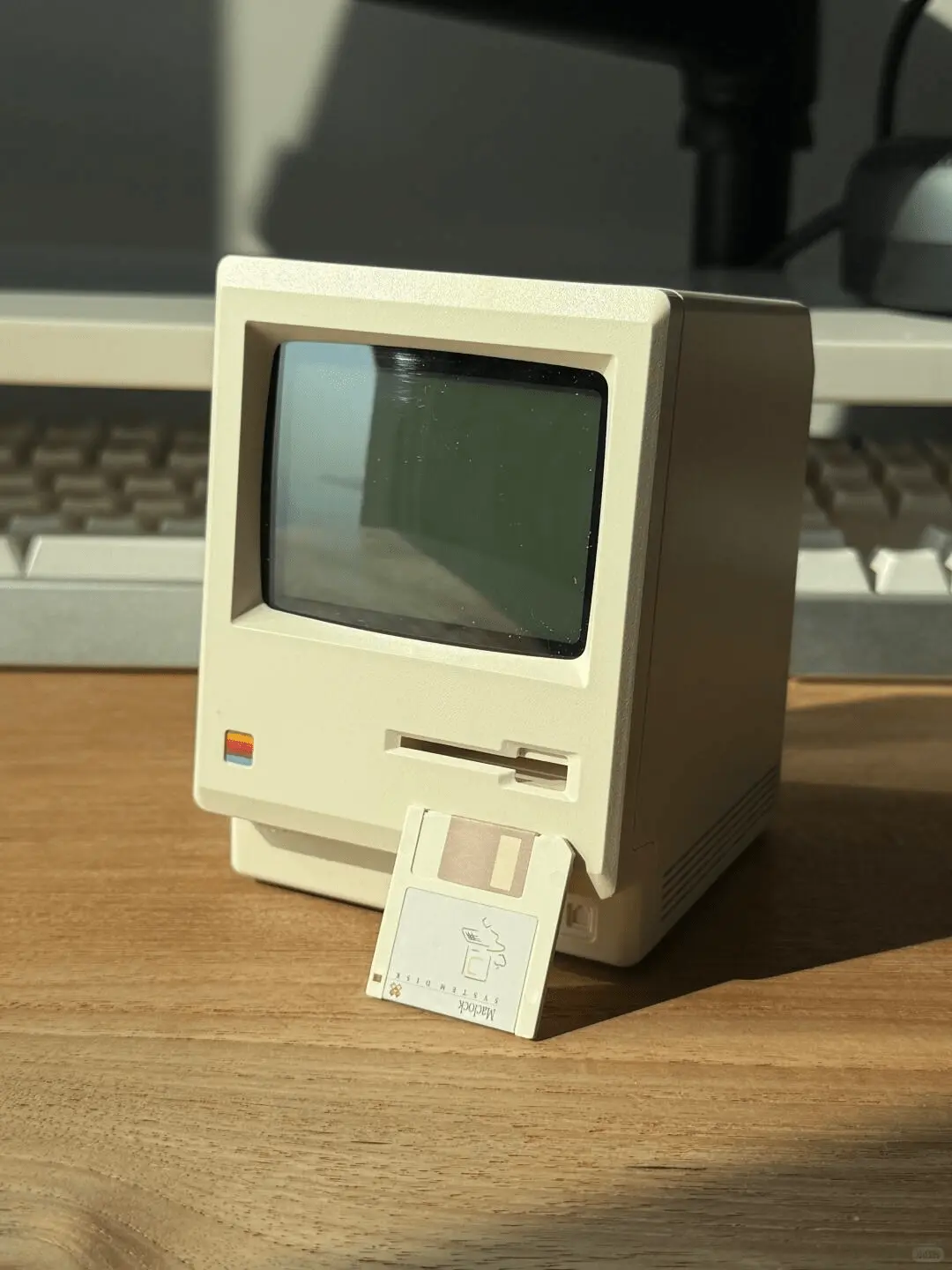
For a concrete example, Maclock is 80 mm wide, 91 mm deep and 112 mm tall. A paper rectangle of 8 × 9.1 cm shows its footprint. If you want it under a monitor, check the 11.2 cm body height separately and leave clearance above it. That is more useful than judging its scale from a close-up product photo.
- Measure the clear width and depth beside your computer, plus the height below any monitor shelf.
- Cut a paper rectangle for each accessory you are considering. Label it with the object and its height.
- Place the rectangles on the desk. Check that your hands, notebook and chair movement still have room.
- Leave space for connectors, plugs and your fingers. The body dimensions rarely describe the full space an object needs.
- Keep the plan in place for a normal work session before ordering anything.
Choose one of three layouts
Laptop and notebook: keep the notebook on the side where you write, and put a small clock or personal object on the opposite side. A charging cable can follow the rear edge instead of crossing the writing area.
Monitor and separate keyboard: reserve the strip immediately in front of the monitor for the keyboard and your hands. The spaces to either side are better candidates for a lamp, clock or tray. A monitor shelf is useful only if the items under it remain easy to reach.
A shared work-and-hobby desk: give loose tools a tray or container you can move as one unit. A permanently installed collection of small objects is harder to clear away than one portable group. Leave the centre of the desk available for the activity that needs the most room.
Give every cable an actual destination
Start at the wall outlet or power strip, then trace each cable to its device. Keep frequently unplugged cables accessible. Hiding every connector behind a monitor may look neat, but it becomes frustrating when you regularly take a laptop away.
A rechargeable accessory can reduce the number of cables that stay on the surface. It still needs a convenient charging route. Before buying a clock, light or speaker, find the location of its port and check whether the cable bends into the wall or an adjacent object.
Do not choose a cable organizer only for its appearance. Check the diameter of your cables, whether they need to slide or stay fixed, and whether the organizer can be moved without marking your particular desk finish.
Add one personal object with a useful role
A small workspace can have personality without becoming a display cabinet. Pick one object you like seeing every day, then let the rest of the accessories support it. A clock gives that object a practical job; a photograph, plant or small model might suit you better if you already have a time display you enjoy using.
Maclock is one option for a retro desk setup. Its beige Macintosh-style body and dot-matrix display pair naturally with a wooden surface or a neutral keyboard. It is a standalone alarm clock, not a miniature computer and not software installed on your Mac.
Check the display from your normal sitting position, rather than only from directly in front. Consider reflections from the window, the position of a desk lamp and whether the controls are accessible. A good position is one that works while you are using the desk, not just while photographing it.
Do a reset before buying another accessory
After a few days, remove anything you keep shifting out of the way. Notice whether a tray is collecting items you actually use or simply moving clutter into a smaller pile. If an accessory does not solve a daily problem or make the space more enjoyable, it does not need a permanent place.
For your next change, improve one thing: a clearer writing area, a cable that stays within reach, or an object that fits the palette. A small desk does not need to be finished in one purchase.
Considering a compact retro clock? Compare Maclock’s actual dimensions, display and real photos before deciding where it will go. Go to Maclock →